A Seedance 2.0 prompt is the text description you provide to the AI video engine to generate a video. Your Seedance prompt tells the model what subject to show, what scene to create, what visual style to apply, and how the camera should move. The quality of your prompt directly determines the quality of the generated AI video output.
Seedance 2.0 uses advanced language models to interpret natural language prompts and convert them into cinematic video sequences. Unlike simple keyword-based video generators, the prompt engine in Seedance 2.0 understands context, spatial relationships, and time flow—meaning more detailed prompts yield superior AI video results.
When you enter a Seedance prompt into the Seedance 2 video generator, the AI processes your text and generates a 5 to 15-second video clip based on your settings. Learning how to write effective prompts is the most important skill for creating professional AI videos with Seedance 2.0.

How to Write Effective Seedance Prompts
Writing excellent Seedance prompts follows a proven four-step structure. Each element builds upon the previous one to form a complete prompt, consistently outputting high-quality AI videos from Seedance 2.0.
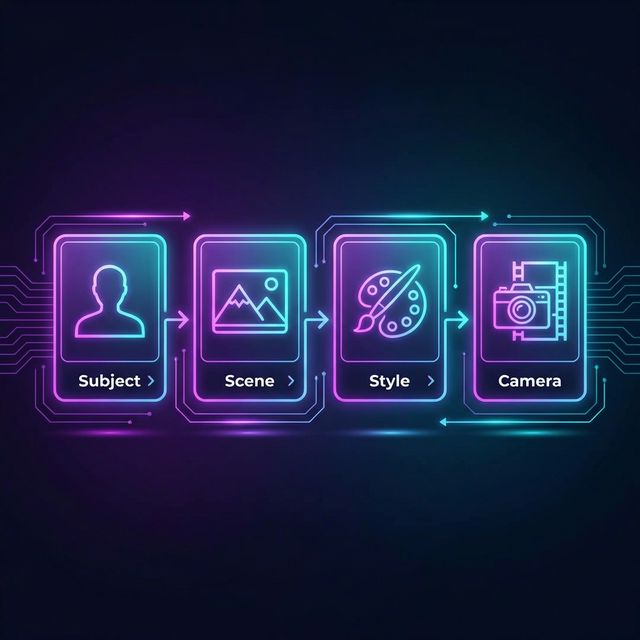
1. Describe the Subject in Seedance Prompts
The first element of any effective Seedance prompt is a clear subject description. Accurately tell the AI video generator what or who should appear in the video. Be specific about physical features, location, and the number of subjects.
Weak Prompt: "A person in the city" Strong Seedance Prompt: "A young woman wearing a red leather jacket, walking confidently through a rain-soaked street at night"
The more specific the subject description in your prompt, the more control you have over the video output. Include details about clothing, expressions, body language, and objects the subject interacts with in the AI video.
2. Set the Scene and Environment
After defining the subject, describe the surroundings in your Seedance prompt. When the prompt provides enough spatial context for the AI video engine, the video generator excels at rendering complex environments.
Include the following details:
- Location and Scene —— Indoor, outdoor, specific places in the video scene
- Time —— Dawn, noon, golden hour, dusk, night
- Weather and Atmosphere —— Fog, rain, snow, clear sky, dust particles
- Lighting Conditions —— Soft ambient light, strong directional light, neon lights, candlelight
A good Seedance prompt environment description can transform a simple subject into a complete visual narrative. When your prompt paints a full picture of the world around the subject, the AI video generator creates more immersive videos.
3. Define Visual Style and Mood
Seedance 2.0 supports a wide range of visual styles through your prompts. This is where your Seedance prompt advances from basic description to creative video direction.
Style keywords for AI video generation in Seedance prompts include:
- Cinematic —— Film grain, anamorphic lens, shallow depth of field
- Photorealistic —— Ultra-detailed, natural lighting, RAW photo texture
- Animation —— Pixar style, 2D anime, watercolor, stop-motion video
- Artistic —— Oil painting, impressionism, surrealism, minimalism
- Commercial —— Studio lighting, product video photography, clean background
Adding mood indicators to your Seedance prompt—such as "melancholic," "energetic," "mysterious," or "serene"—helps the AI video engine match the emotional tone of the generated video.
4. Add Camera Movement and Transitions
The final layer of an effective Seedance prompt is camera direction. Seedance 2.0 understands professional photography terminology, so including camera instructions in your prompt gives you director-level control over the final video output.
Camera movements for Seedance prompts:
- Slow dolly forward —— Gradually pushing the video frame into the scene
- Aerial tracking —— Following the subject from above
- Static wide shot —— Keeping a fixed frame to capture the full video environment
- Handheld close-up —— Filming details up close with slight shake
- Smooth pan —— Revealing the video scene horizontally
- Crane up —— A dramatic upward reveal
Including camera direction in your Seedance prompt is key to distinguishing amateur AI videos from cinematic videos generated by Seedance 2.0.
Best Seedance 2.0 Prompt Examples
Cinematic Seedance Prompts
Cinematic Seedance prompts focus on dramatic composition, cinematic lighting, and professional camera operation.
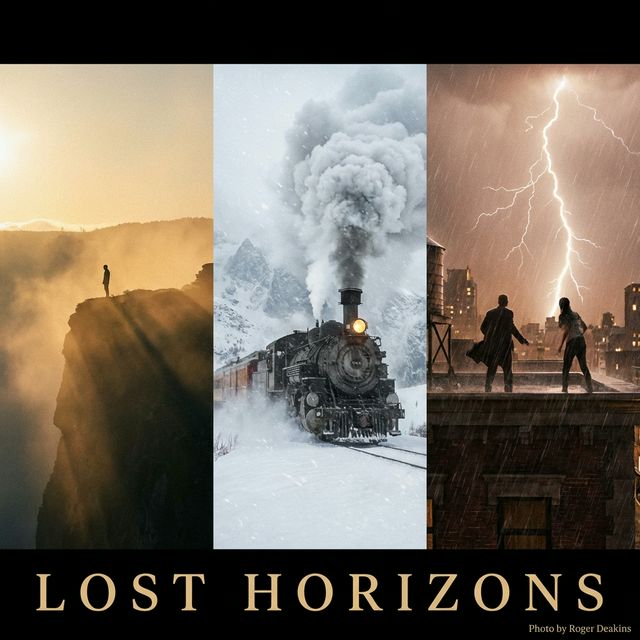
"A lone figure standing on the edge of a cliff overlooking a vast misty valley at golden hour. Volumetric sunlight streaming through clouds, lens flare, warm color grading. Slow dolly forward with subtle parallax, cinematic 2.39:1 aspect ratio"
"Two silhouettes facing each other on a rooftop during a thunderstorm, lightning illuminating the scene in brief flashes. Rain droplets caught in slow motion, dramatic backlighting. Orbiting camera movement, film noir aesthetic"
"A vintage train emerging from a tunnel into a snow-covered mountain landscape. Steam billowing from the locomotive, soft winter light, shallow depth of field. Tracking shot following the train from the side, Wes Anderson color palette"
Nature & Landscape Seedance Prompts
Nature and landscape Seedance prompts utilize the AI video generator's ability to render realistic environments, water dynamics, and natural lighting in every frame.
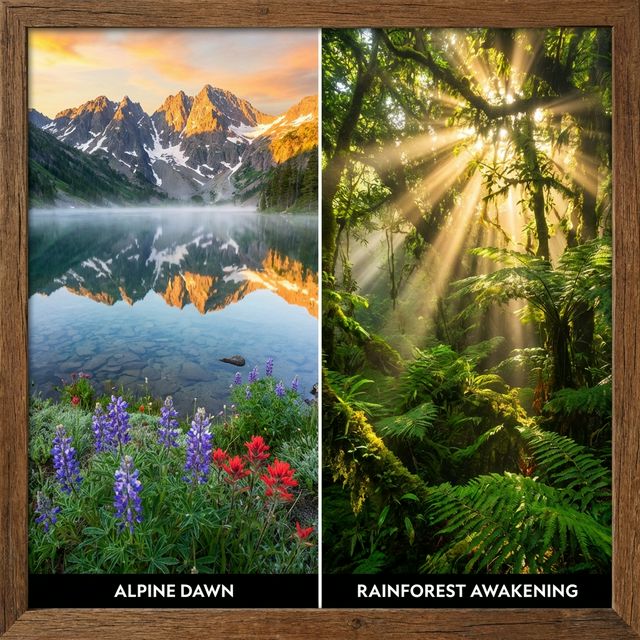
"Snow-capped mountain peaks reflected in a crystal-clear alpine lake at sunrise. Morning mist rising gently from the water surface, wildflowers swaying in a light breeze in the foreground. Slow aerial drone shot pulling back to reveal the full panorama, photorealistic"
"A dense tropical rainforest canopy seen from below, with beams of golden sunlight filtering through the leaves. Exotic birds flying between the branches, rain droplets falling in slow motion. Smooth upward crane shot, National Geographic documentary video style"
Narrative & Lifestyle Seedance Prompts
Narrative Seedance prompts create story-driven video scenes with human subjects and emotional depth.
"A woman pushing open the door of a vintage cafe, warm golden light spilling from inside. She smiles at the barista who is preparing her regular coffee. Close-up on the steaming cup being placed on the wooden counter. Soft bokeh background, indie film color grading, handheld camera feel"
"An elderly artist painting on a canvas in a sunlit studio, surrounded by years of finished works leaning against the walls. Paint-stained hands moving with practiced precision, dust particles floating in light beams. Slow push-in from medium shot to close-up of the brush strokes"
Product & Commercial Video Prompts
Product-focused Seedance prompts can yield exquisite commercial-grade AI videos.
"A pair of sleek black wireless headphones floating and slowly rotating above a reflective dark surface. Subtle smoke effects drifting beneath, gradient background from deep navy to black. Professional studio lighting with soft rim light, 360-degree orbiting camera"
"A luxury wristwatch resting on a marble surface, golden hour light hitting the dial creating subtle reflections. Water droplets condensing on the glass face, extreme macro detail. Slow dolly-in from medium to extreme close-up, premium commercial video photography style"
"A frosted glass perfume bottle on a bed of white silk, soft directional light creating elegant shadows. Rose petals falling in slow motion around the bottle. Smooth 360-degree orbit, luxury fashion video advertisement aesthetic"
Advanced Seedance Prompt Techniques
Once you have mastered the basics, these advanced prompt techniques will help you consistently achieve professional-grade AI video results in Seedance 2.0.
Seedance Prompt Formula
Use this tested Seedance prompt formula as a template for any AI video generation:
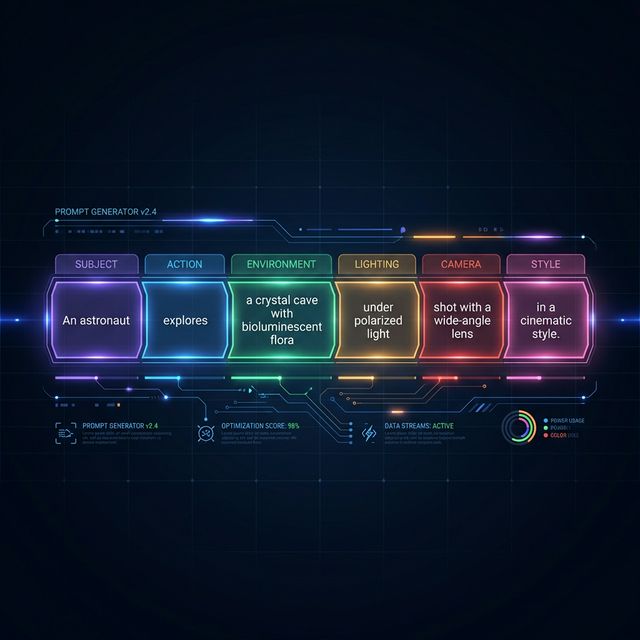
[Subject] + [Action] + [Environment] + [Lighting/Mood] + [Camera Movement] + [Style Reference]
Video example using the Seedance prompt formula:
"A black cat [subject] leaping gracefully from one rooftop to another [action] across a twilight cityscape with distant twinkling lights [environment], warm amber streetlights creating long shadows [lighting], smooth tracking shot following the jump in slow motion [camera], Studio Ghibli animation style [style]"
This Seedance prompt formula ensures visual clarity, narrative direction, and stylistic consistency for every AI video generation. Adjust the formula by swapping each element to suit any video type or use case.
Common Prompt Mistakes to Avoid
Even experienced users make these Seedance prompt mistakes that lower the quality of AI video output:
- Too Vague —— "Cool video in space" gives the AI video generator almost no material. Add specific celestial bodies, colors, and camera movements in the prompt
- Contradictory Descriptions —— "Bright sunny scene at midnight" confuses the prompt engine. Keep video descriptions internally consistent
- Keyword Stuffing —— Repeating "4K ultra HD cinematic masterpiece" does not improve AI video output quality. Focus on descriptive content rather than quality modifiers
- Ignoring Camera Direction —— If there is no camera movement in the Seedance prompt, the video will default to a basic composition. Always include at least one camera instruction
- Overly Complex Narratives —— A single Seedance prompt should describe a coherent video scene. For multi-scene video narratives, generate multiple times and edit them together
Avoiding these common mistakes will immediately improve your AI video prompt results.